

Do you know or have you heard “git” or maybe “github”?
Wiki definition
Git (/ɡɪt/)[7] is software for tracking changes in any set of files, usually used for coordinating work among programmers collaboratively developing source code during software development. Its goals include speed, data integrity, and support for distributed, non-linear workflows (thousands of parallel branches running on different systems).
Even you are not a programmer or computer software/web developer, I think this tool is a super useful. If you only use Word, Excel etc.., anything that you need to save some data as a file, it’s very helpful to manage your project.
EXAMPLE: You are working on a project to input some data to an Excel spreadsheet. You boss come and ask to add a new column [Gender] and input (F) or (M), so you follow the order. A few days later, your boss came again and ask to add other 2 columns [F] and [M], divide data [Gender] to [F] and [M], if it’s (F), input “1” to [F} column, if it’s (m), [M] to 1. So you worked on the devision. Next day, your boss come again and said bring back to [F] and [M] to [Gender] and a few days later… Things like this happen all the time, isn’t it.
If it’s simple(but stressful 😫) as the example, probably when you’ve asked to add the 2 columns, you save the current file as different file name as a backup before adding these, and you continue working on the same file. So list,exl and list-backup1.exl. But I’m pretty sure that your boss come again and ask more changes… and so on, You’ll make so many backups and alternative files, the project folder getting messy easily. Imagine if you are saving files at the Desktop… nightmare!! Also if are working with some other collaborators to share the folder or even a file together, it’s so hard to manage and track what’s going on in the project folder, what have been changed and by who.
git can help manage the project.
The GUI (Graphic User Interface) is available for free, I recommend Sourcetree, available both Mac and Windows.
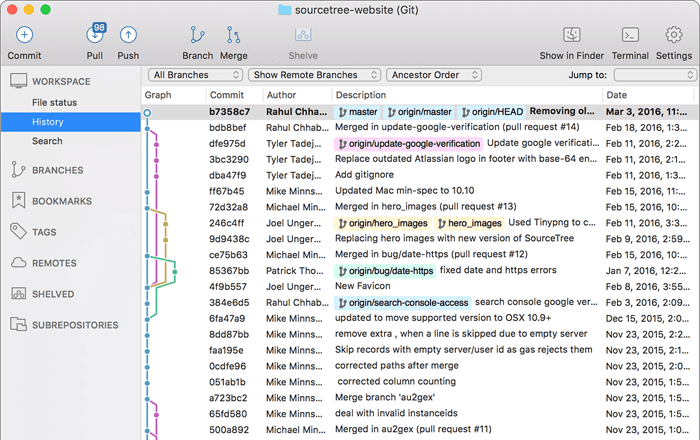
- download from Sourcetree’s website
- install
- (if you have some problem with Mac Mojave or later, simply move the downloaded app to Applications folder and launch, The OS prompt you to allow access to the app, type your OS user password to authorize.)
- It’s good to se Author name and Author Email address especially if you work with others but it’s up to you. You can change this setting later too
- New (cmd⌘+ N || CTL+N), select [local]. Add a folder Drag/Drop | [Scan a directory] to select a folder where you want to start using git.
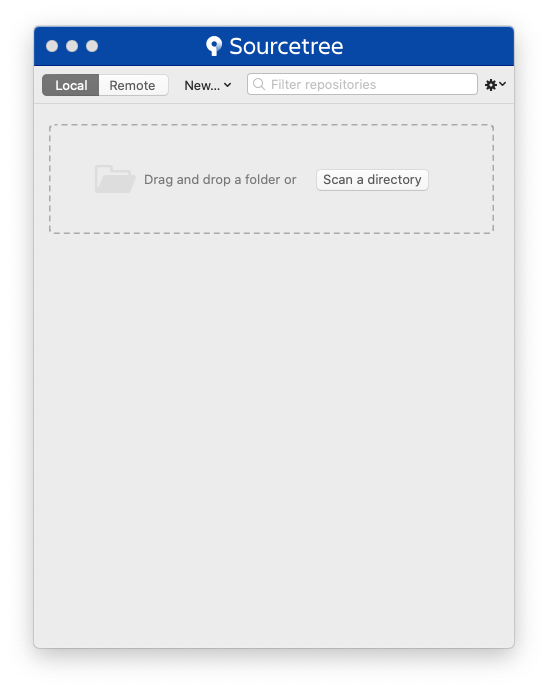
- Once you select a folder, click on the folder name,
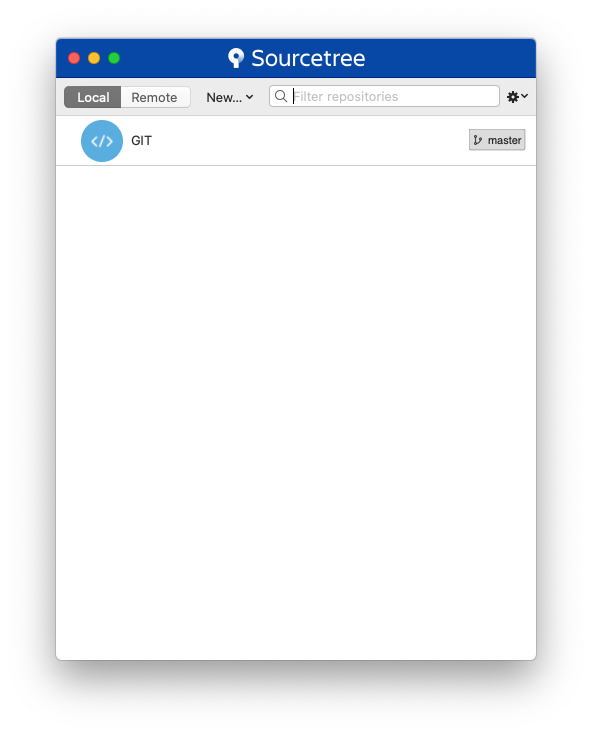
- then the project window appear, it’s look like this. (I’ve add a folder called “GIT”)
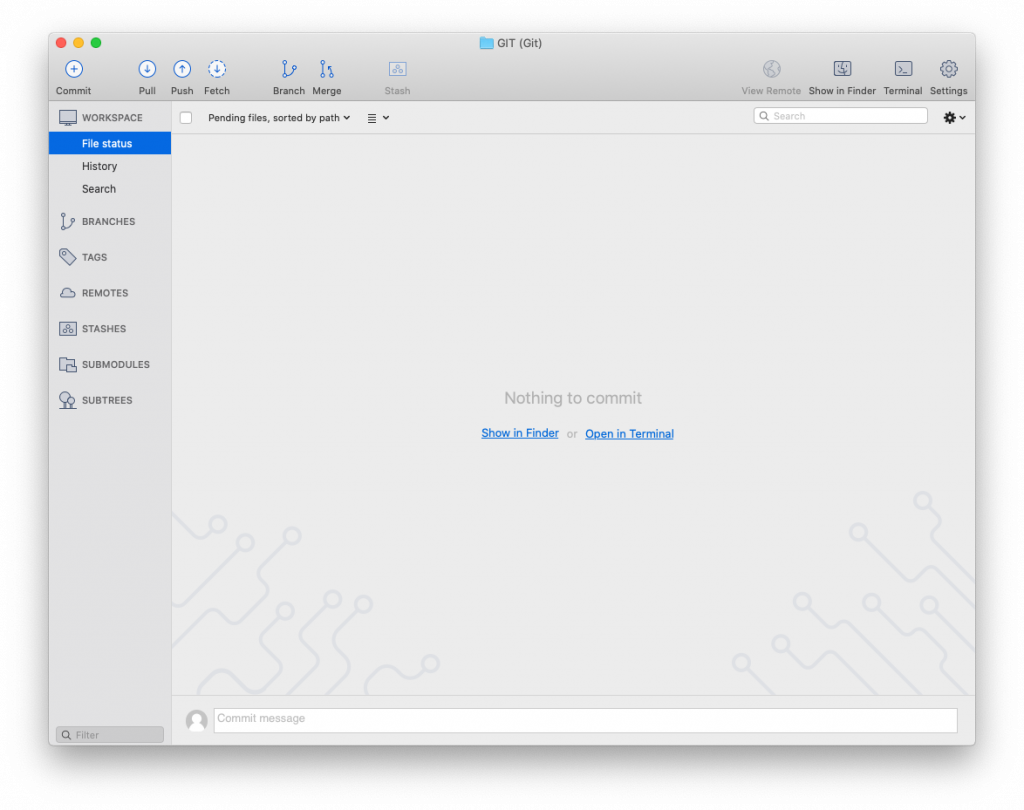
- Start a new excel file and just save it, it ‘s automatically appear to the git screen, at the “File status” on the left menu bar under WORKSPACE but it’s not yet in the tracking system, so you have to commit the file.
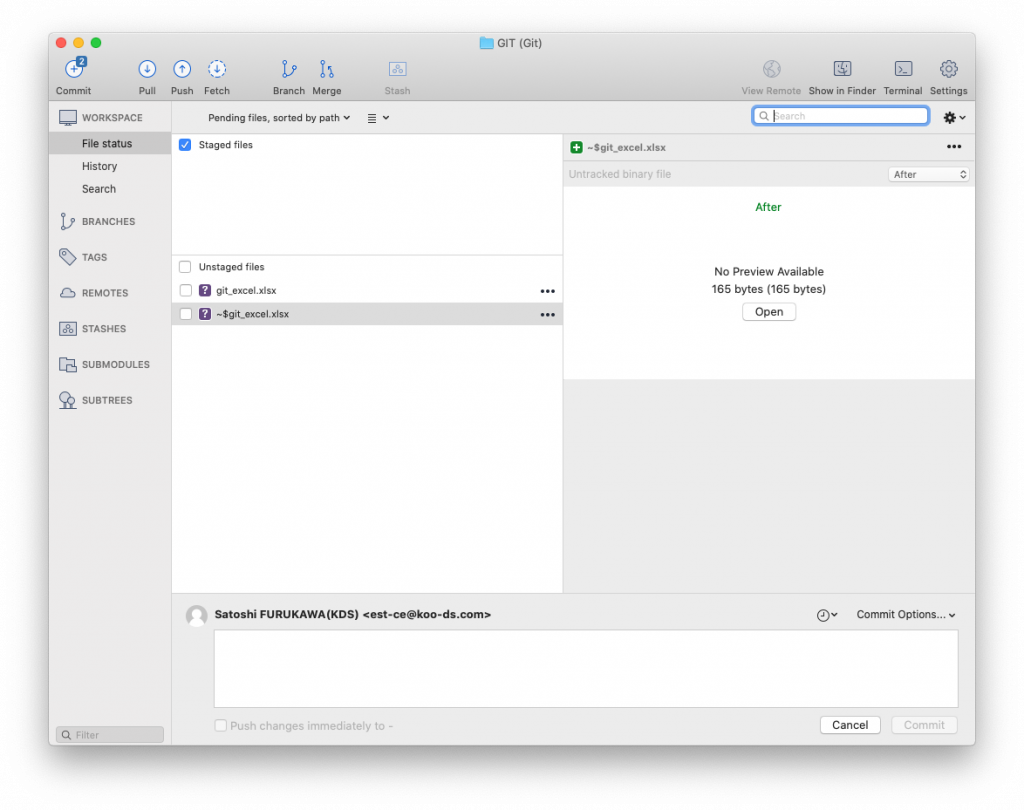
- To commit the file, select the file (check the box), it will automatically move to Stage files section and at the bottom “Commit” section, type “my first git commit” or something you can refer later and press [Commit].
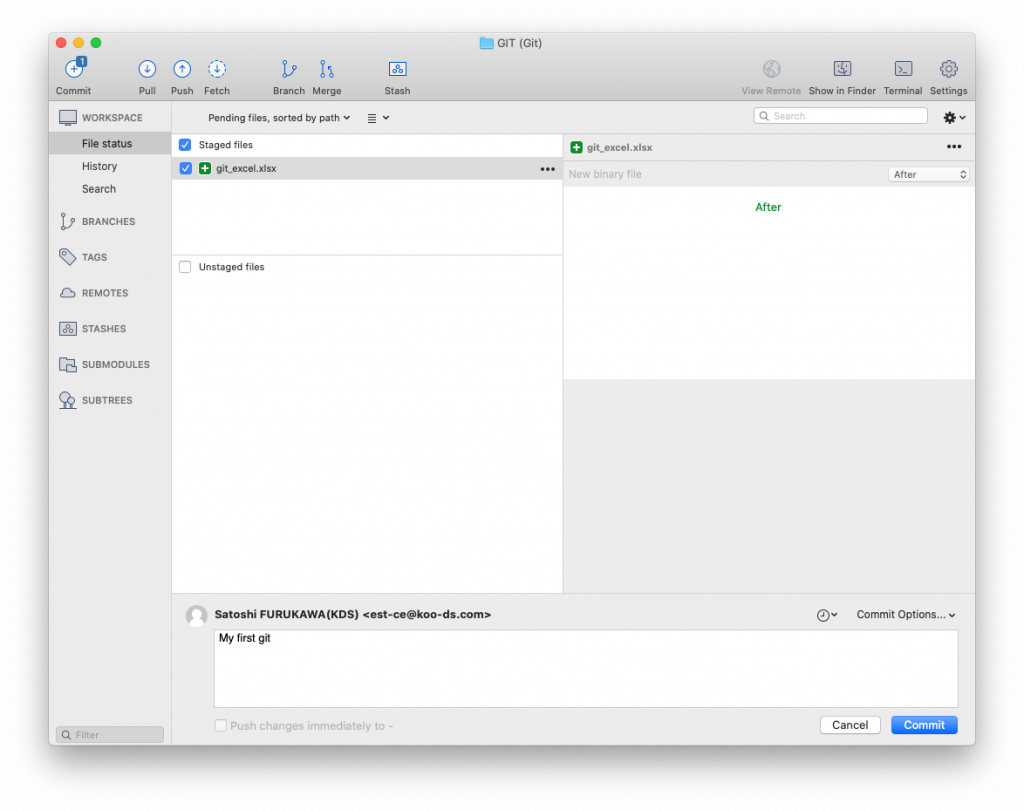
- Switch view to “History” at the left menu bar. You see the fie added to the git system. Congratulations! You get started to using git.
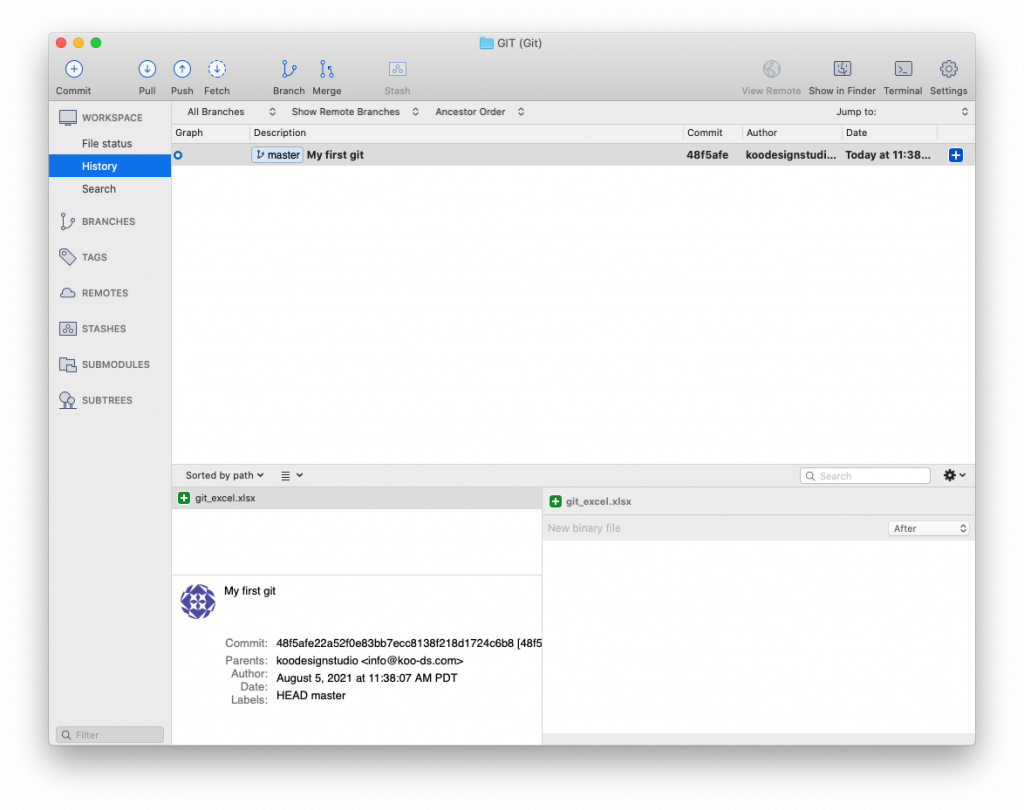
- git watches all the files contained in the folder, so if you create another file, Word, it also tracked by git. You can work on it and save it and commit to add to the History. Every time you commit, you commit to Master branch.
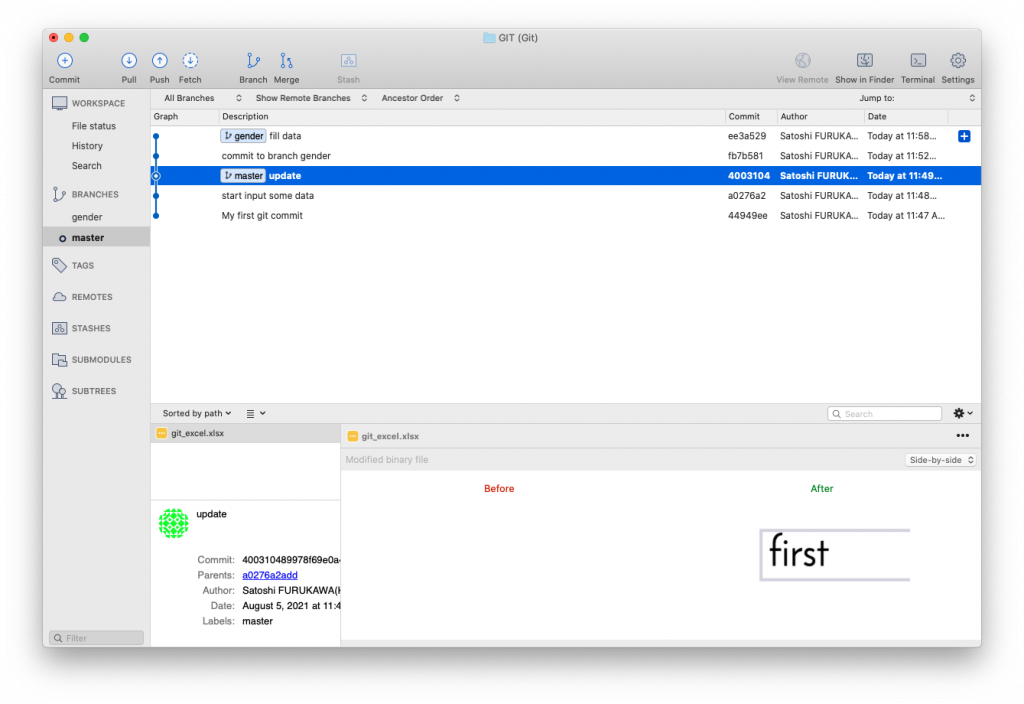
- When boss come and divide a column to 2, you can make a branch to keep the original and start new branch to record the new history.
- To make a branch, click on “Branch” on the top menu and type name of branch as you like, let’s call it “gender”.
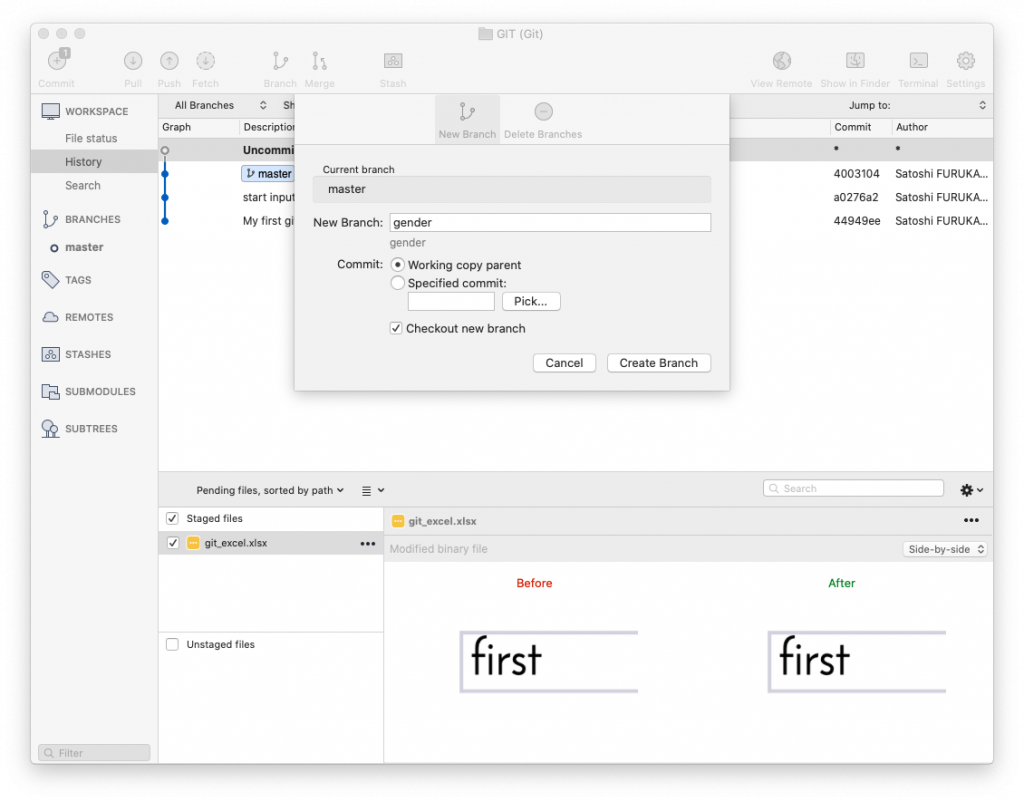
- You work on the excel and save it, now you are committing to the new branch “gender”. So the master is untouched as before you committed to the new branch.
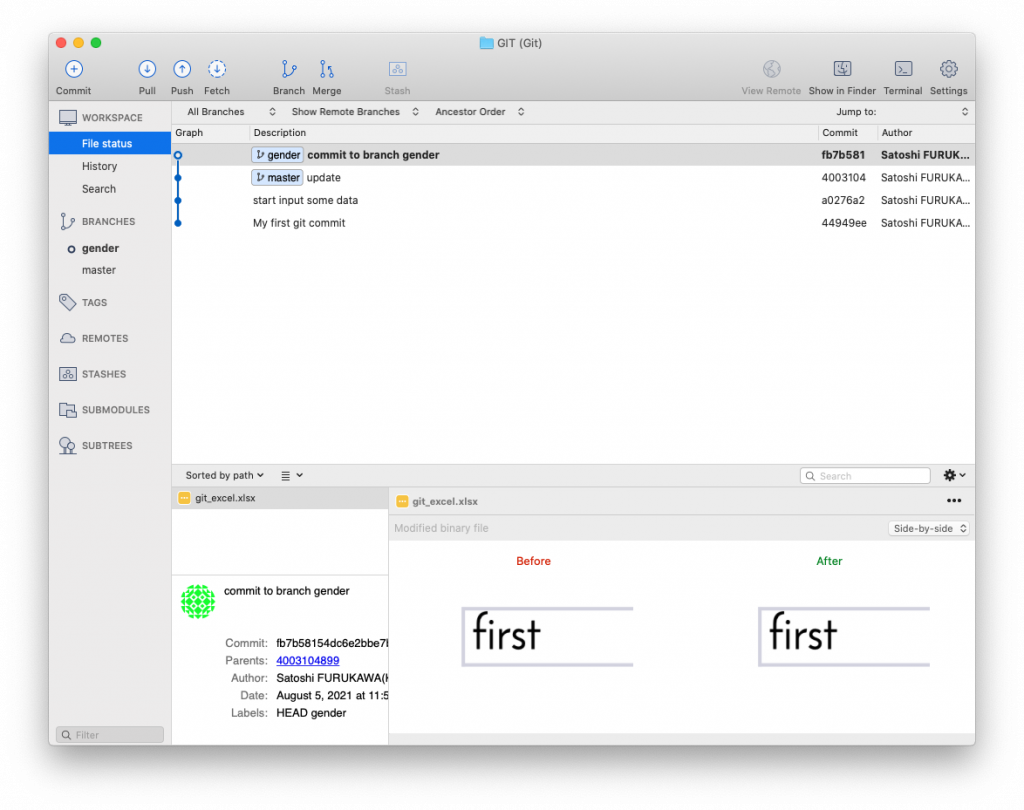
- Switching (checkout) over 2 branches “Master” and “gender” by clicking BRANCHES at the left bar to see how the files in the folder changes.
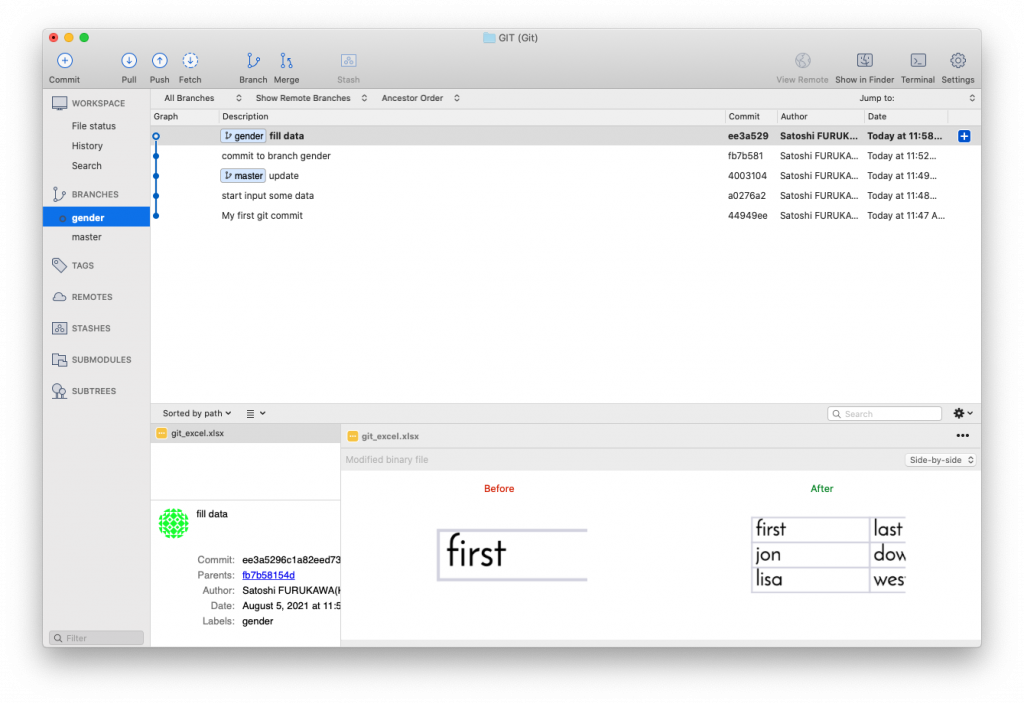
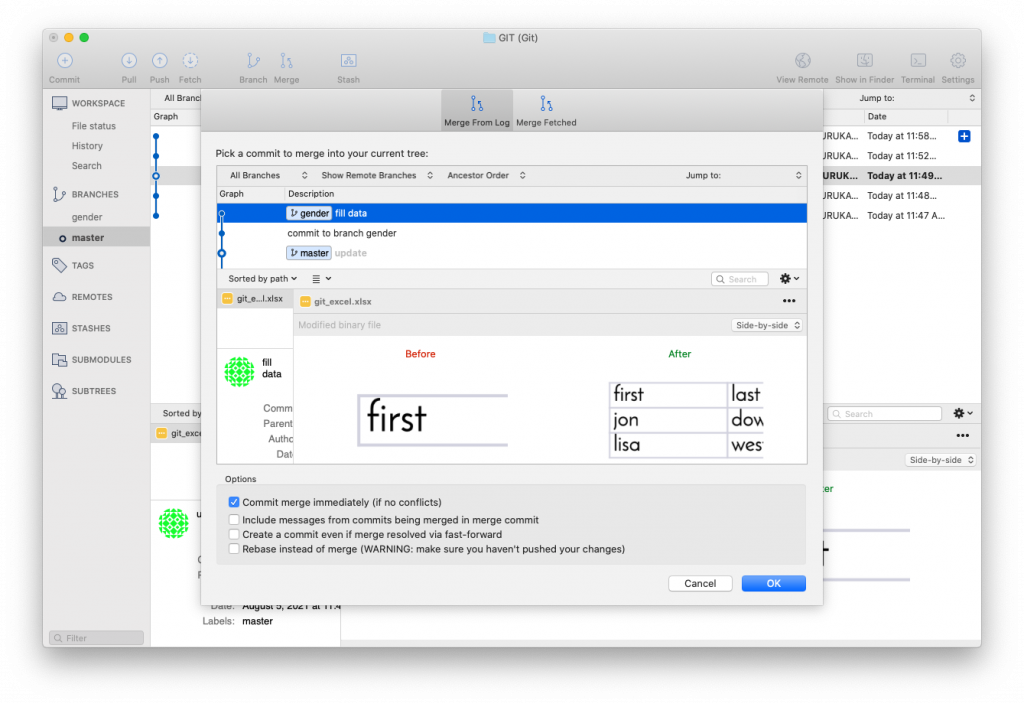
- Merge, when you are done with a specific changes such as [gender] column, you can merge the branch together, merge “gender” to “Master” branch
GIT REMOTE
Working with collaborators using git is just amazing, you can work a same file with them at the same time and sync changes when you need to. or share your experiment with them etc..
GitHub is built for a remote git storage, storage called a “repository” in git, share a git repo to the world. You can download (git clone) to your computer (local) whatever uploaded to GitHub as public. And it can be shared ONLY for private too. GitHub has became so popular, maybe that’s why it sounds familiar to you too.
To work with remote git repository using Sourcetree,
- First, you have to have a remote git repository, in your own cloud server, GitHub.com etc..
- The name of repo has to be the same, so If you started GIT.git in your local, create an empty remote repo as the same name.
- Once you have the remote git repo, click “Setting” from the top right, select to “Remote” tab, [Add] to add a new remote git to store the git.
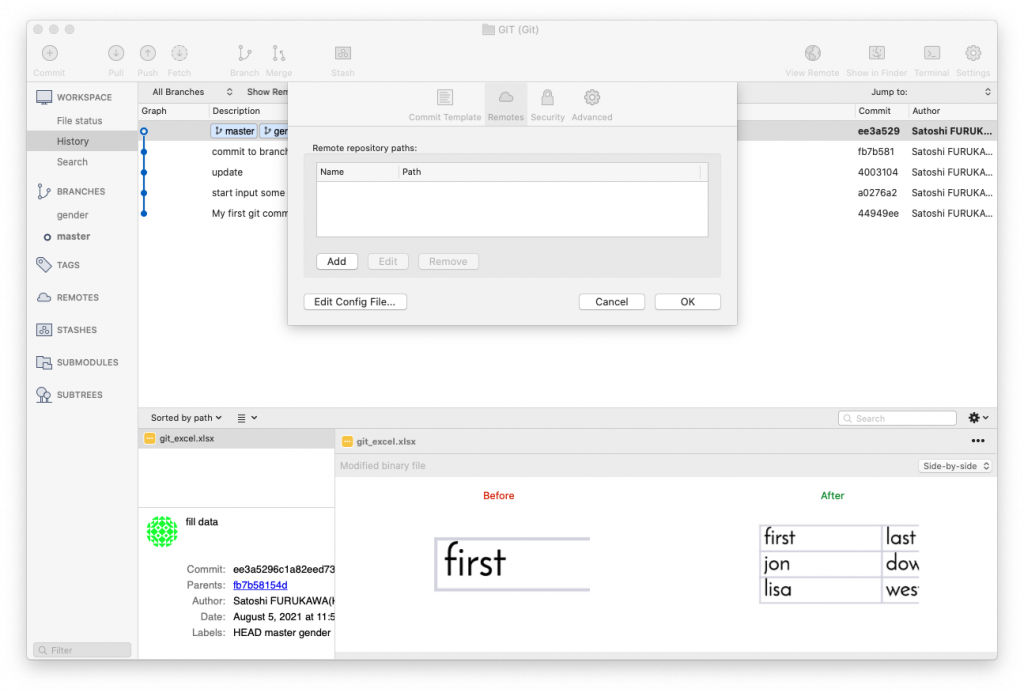
Type remote git name as “origin‘. Then URL/path “https://koo-ds.com:/data/git/GIT_TEST.git“, where you put the remote repository. If you push to GitHub, the option, select Host Type such as GitHub, Host Root URL will automatically filled as https://github.com, then type your GitHub Username. (when sourcetree try to connect to the remote server, it will ask you to type your username and password.)
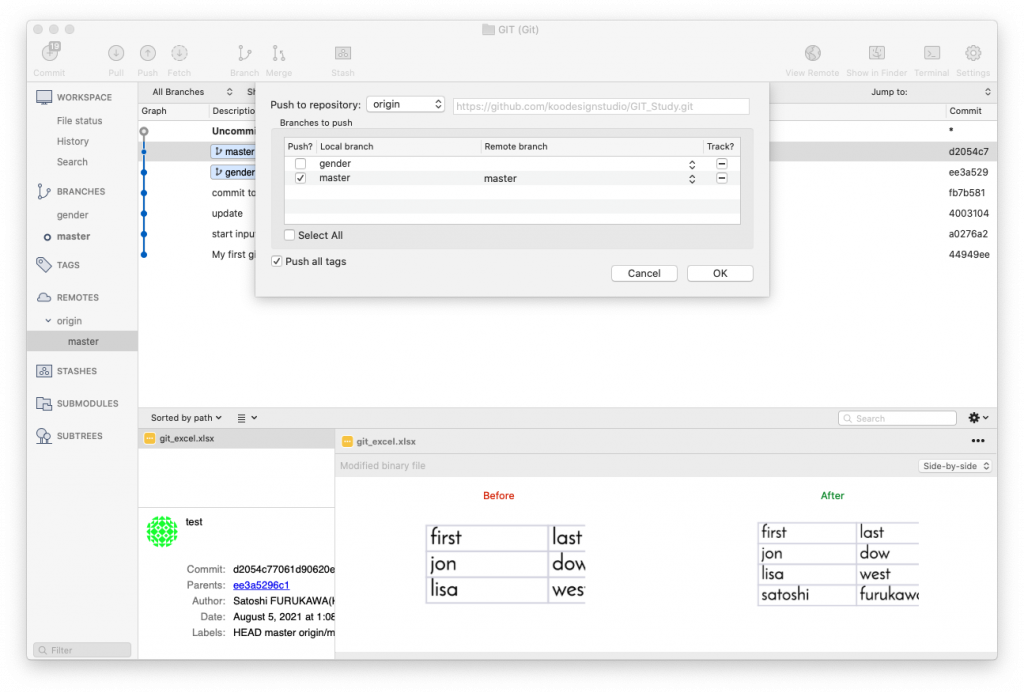
Now you can push your project to remote server, select REMOTES at the left and select your server where you want to access to, Then “Push” at the top bar. You can select what branch you want to upload. Then It will connect and send git data to the remote server. When you are working the project from different computer, start new and “clone” the data from the remote repo, then add all files to your new local git repo and commit, push back to the remote repo, then go back to you original computer and “Pull“ the changes to it. You can work with collaborator remotely do the same.
work => save file => git add all => commit => push THEN pull => work => save => git add all => commit => push =>…
GITHUB Desktop
If you use GitHub, there is GitHub desktop software available. https://desktop.github.com
CLI (Command Line Interface)
If you are familiar with a command line shell, you can use CLI, here is some command note:
$ cd toProjectFolder
$ git init (make a git in a project folder)
$ git add . (add all the changes to git)
$ git commit -am "My first git" (commit)
$ ssh username@remote_server.com
@ remoteServer $ cd /where/your/gitRepo/willbe/
@ remoteServer $ git init projectName.git --bare
$ git remote add origin usrname@remote_server.com:/where/gitRepo/willbe.git (set a remote git repo, you should create “willbe.git” repo first, it can be just empty git)
$ git push --set-upstream origin master (push to the remote)
$ git branch gender (create a new branch)
$ git checkout gender (switch to the branch)
$ git add . (add saved files to the new git branch)
$ git checkout master (switch back to master)
$ git checkout gender (switch to gender again)
$ git push (you can push a branch to the remote repo too)
$ git checkout master (before you merge, go back to master)
$ git merge gender (merge all the changes you made and committed to gender branch to master)
$ git branch -d gender (delete gender branch)
$ git clone username@remote_server.com:/where/gitRepo/willbe.git (when you use different computer or your collaborator start to work remotely, download all the git project)